
Who Says?
Accessible Food Ordering App
A mobile app designed to support accessible food ordering, with voice-assisted interaction for visually impaired users
Project Info
Type: UX / Interaction Design / Mobile App
Context: Undergraduate project
Role: UX design, interaction design, UI design, prototyping
Tools: Figma
Problem
This project explores how mobile food ordering can be made more accessible for users with visual impairments. Many existing food delivery apps rely heavily on visual navigation, complex menus, and dense interfaces, making them difficult to use for people with limited vision.
The challenge was to design an experience that simplifies the ordering process while providing alternative interaction methods that reduce reliance on visual input.
Solution
The app introduces a voice-assisted ordering system alongside a simplified interface. Users can navigate key steps such as placing orders, selecting items, and completing checkout through speech interaction. The design also prioritises clear layout, large touch targets, and reduced cognitive load.

User Flow
Accessibility Design
Onboarding - Intro
A key focus of this project is improving accessibility through speech interaction. Users can activate voice guidance to hear on-screen content and verbally confirm actions. In cases where the system cannot complete an order, a service representative is introduced as a fallback support method, ensuring continuity of the user journey.
Onboarding → Login → Customize Order → Place Order → Payment → Confirmation
Login


Reflection
The Onboarding Page has two options for users with impairment and those without.
Login Page:Please enter your email and your passward to continue to homepage.
Sign-up
Homepage

This project marked an important step in my understanding of inclusive design. Rather than focusing only on visual aesthetics, I needed to consider how different users interact with digital systems and how accessibility can be embedded into the core experience. I learned to simplify flows, prioritise clarity, and think beyond standard touch-based interaction by introducing voice-assisted features. Looking back, the project could be strengthened with deeper user research and usability testing with visually impaired users to validate design decisions. However, it helped me develop a stronger awareness of accessibility challenges and the importance of designing for a broader range of users.
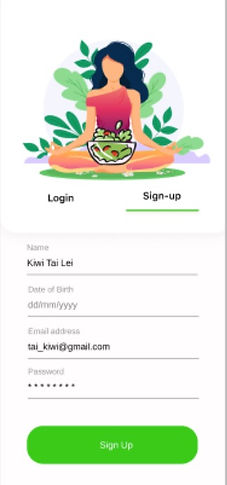
Sign Up Page: Please enter basic contact information such as name, date of birth, email and password to continue to homepage.
The homepage has 8 options and the ability to scroll down by clicking the down arrow.
Settings
About us
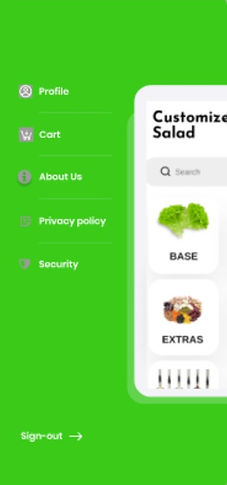

Homepageside shows profile, cart, about us, etc.
The about us page features the B-Corp certification and highlights that all the ingredients are sourced locally, organic and sustainably farmed.